
1. Choose Your Platform Wisely
The “best” platform is wherever your existing audience lives.
- TikTok Shop: Best for reaching Gen Z and viral discovery. If you are in a supported region, the “buy” button is integrated directly into the video.
- YouTube Shopping: Ideal for long-form tutorials. If you use Shopify, you can sync your catalog directly so products appear in a “shelf” below the video.
- Instagram/Facebook: While native “live shopping” features have shifted, these remain powerhouse platforms for community-based selling via “Comment to Buy” tools like CommentSold.
- Amazon Live: Essential if you already have an Amazon storefront and want to tap into their massive organic traffic.
2. The Essential “Starter” Tech Stack
Don’t overcomplicate the gear. Most viewers prefer an authentic, “behind-the-scenes” feel over a sterile studio setup.
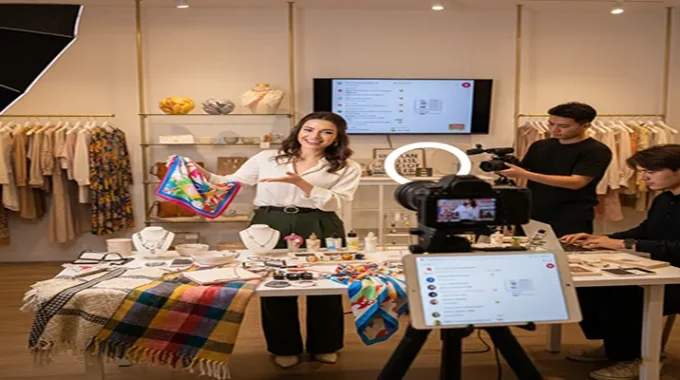
- Visuals: A modern smartphone with a 12MP+ camera is plenty. Use a Ring Light to ensure you are well-lit and a Tripod to avoid shaky footage.
- Audio: Viewers will forgive poor video, but they will leave if the audio is bad. Use a cheap Lavalier (clip-on) mic to ensure your voice is crisp.
- Internet: You need at least 10 Mbps upload speed. If possible, use an Ethernet adapter for your phone or stay close to your router to avoid “buffering” lag.
3. Product Selection & Formatting
Limit your first show to 3–10 products. Too many options lead to “decision paralysis.”
- The “Hook” Format: Don’t just list features. Show the product in action.
- Fashion: A “Style with Me” session.
- Beauty: A “Live Glow-up” tutorial.
- Home: A “Problem/Solution” demo.
- Inventory Check: Ensure you have enough stock of the featured items to fulfill an immediate spike in orders.
4. Building Urgency and Interaction
The “Live” element is what drives sales. Use these tactics to convert viewers:
- Exclusive Discounts: Offer a “Live-Only” promo code that expires as soon as the stream ends.
- Flash Giveaways: Announce that the “next 5 buyers” get a free gift.
- Real-Time Q&A: Acknowledge commenters by name. “Hey Sarah, yes, this sweater is true-to-size!” This personal touch builds the trust needed to hit ‘buy.’
5. Promotion (The 2-Week Rule)
A live stream with zero viewers is just a recorded video. Start promoting 14 days in advance.
- The Countdown: Use Instagram “Reminder” stickers so followers get a notification when you go live.
- Sneak Peeks: Post short reels showing the products you’ll be featuring to build anticipation.
Livestream shopping is successful because it replaces the “lonely” scroll of a website with a shared community experience. Start simple, engage with every comment, and focus on providing value rather than just a sales pitch.